Decide what gets done
Tickets, boards, labels and a roadmap you can drag — the whole project, from briefing to done, in one place.
Now in public beta
docket brings ticketing, time tracking and accounting under one roof — the lightweight operating system a digital agency actually runs on. We built it for ourselves at Evernow, and we've been running our business on it for years.
Built by an agency, for agencies. Every seat is free while we're in public beta.
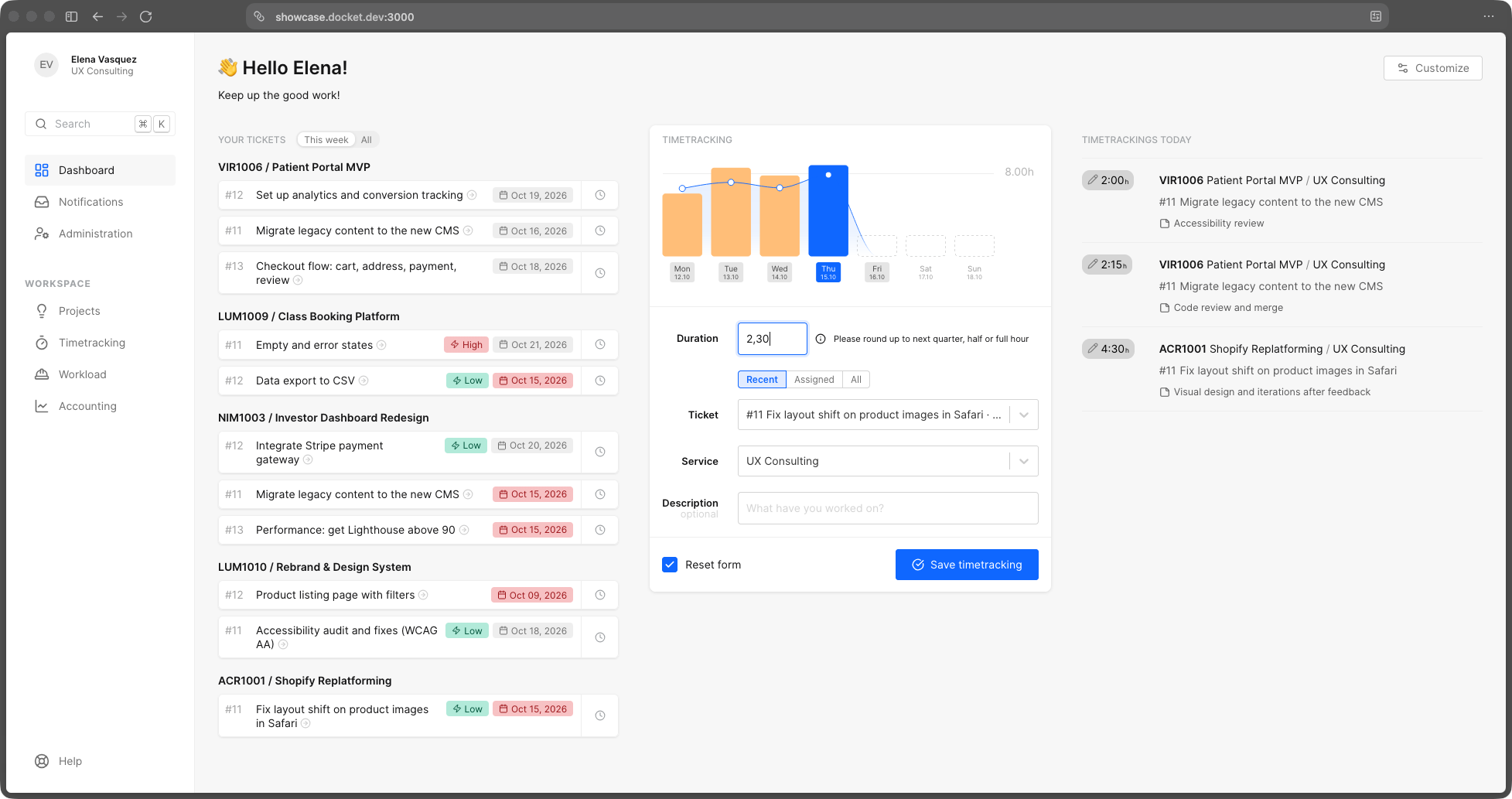
Everything under one roof
Tickets, boards, labels and a roadmap you can drag — the whole project, from briefing to done, in one place.
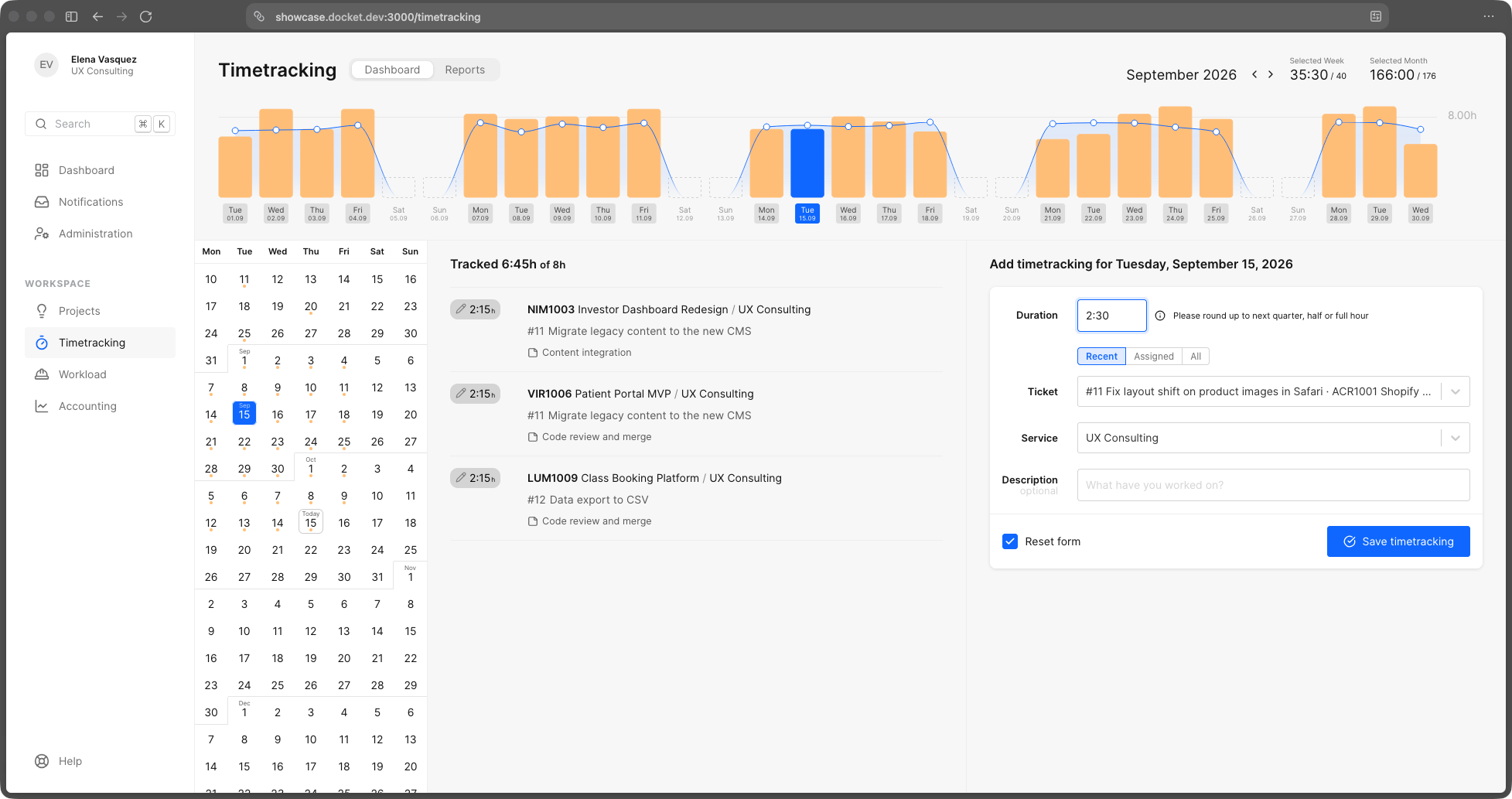
Timers live on the ticket. The hours you track flow straight into reporting, budgets and the invoice.
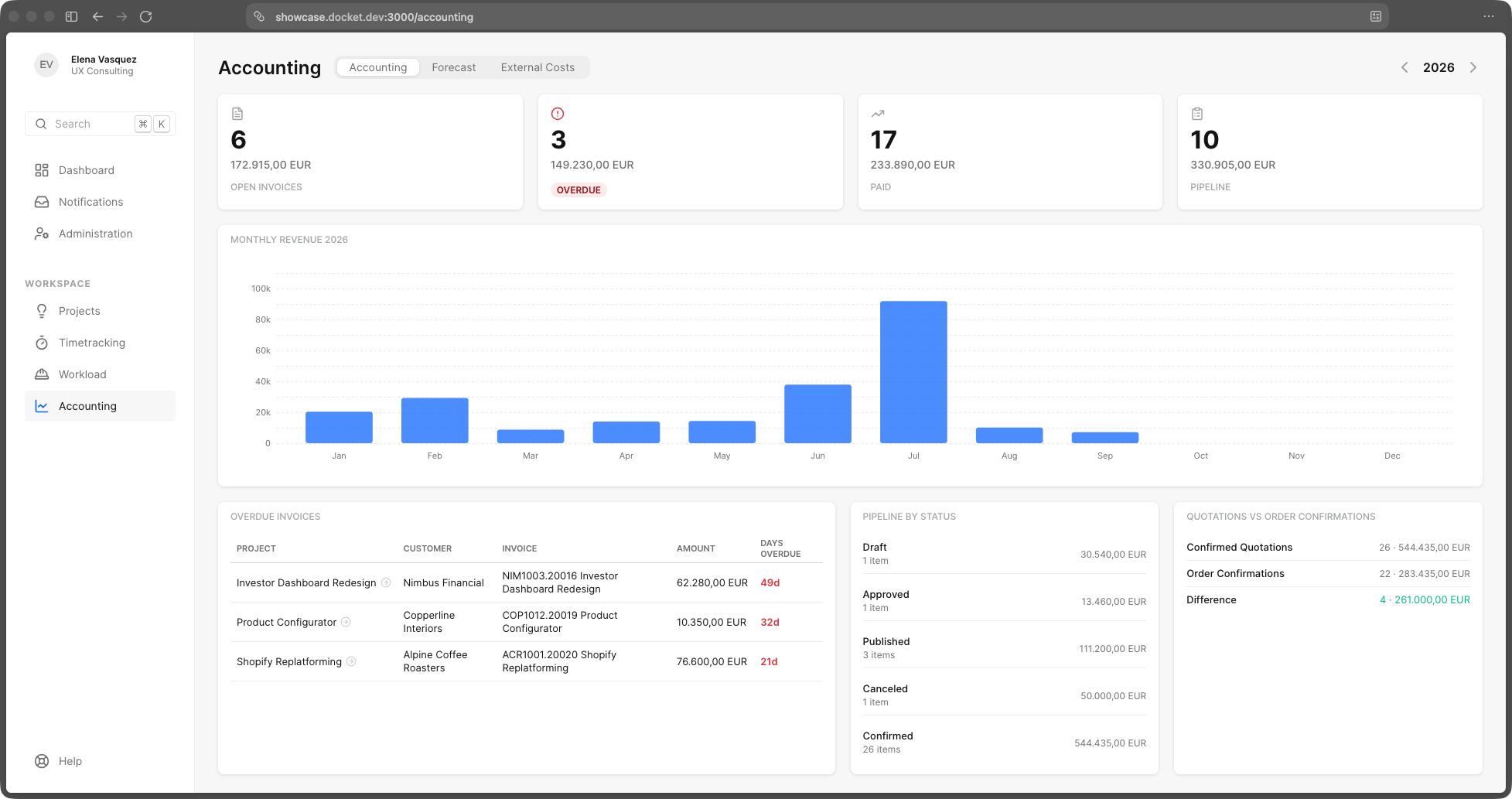
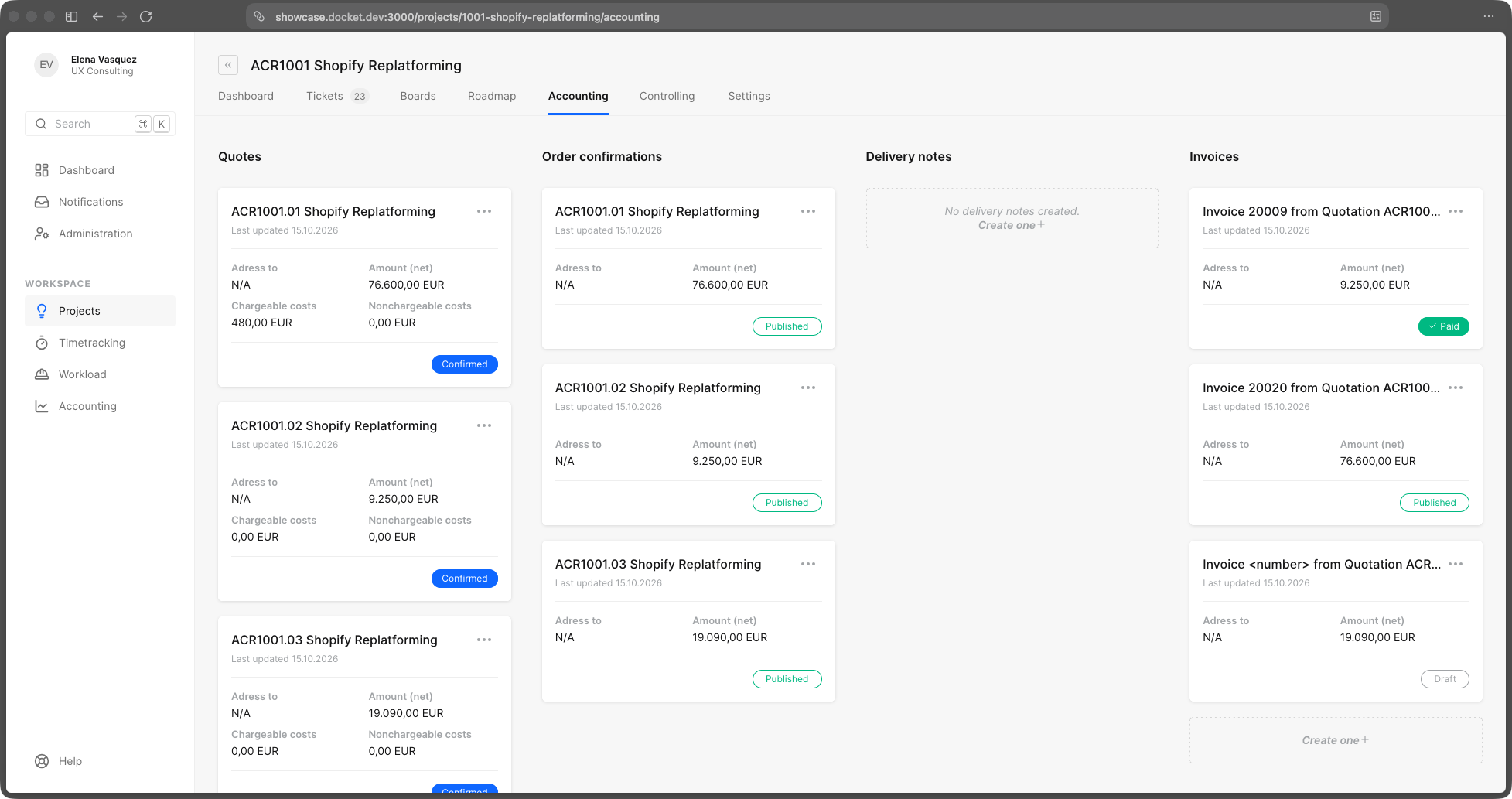
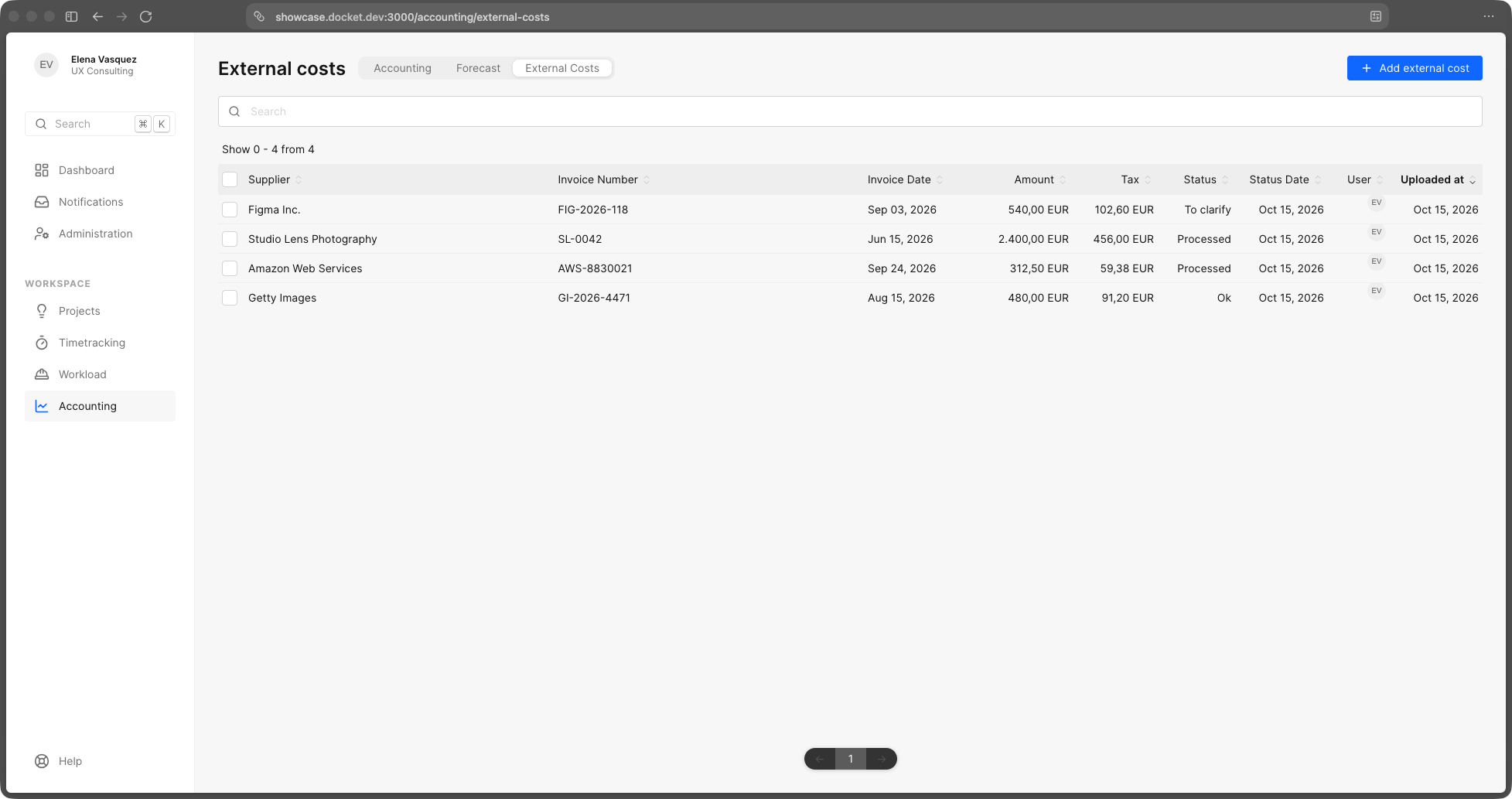
Quotations, invoices, external costs and forecasts — the commercial side connected to the work that earned it.
A closer look
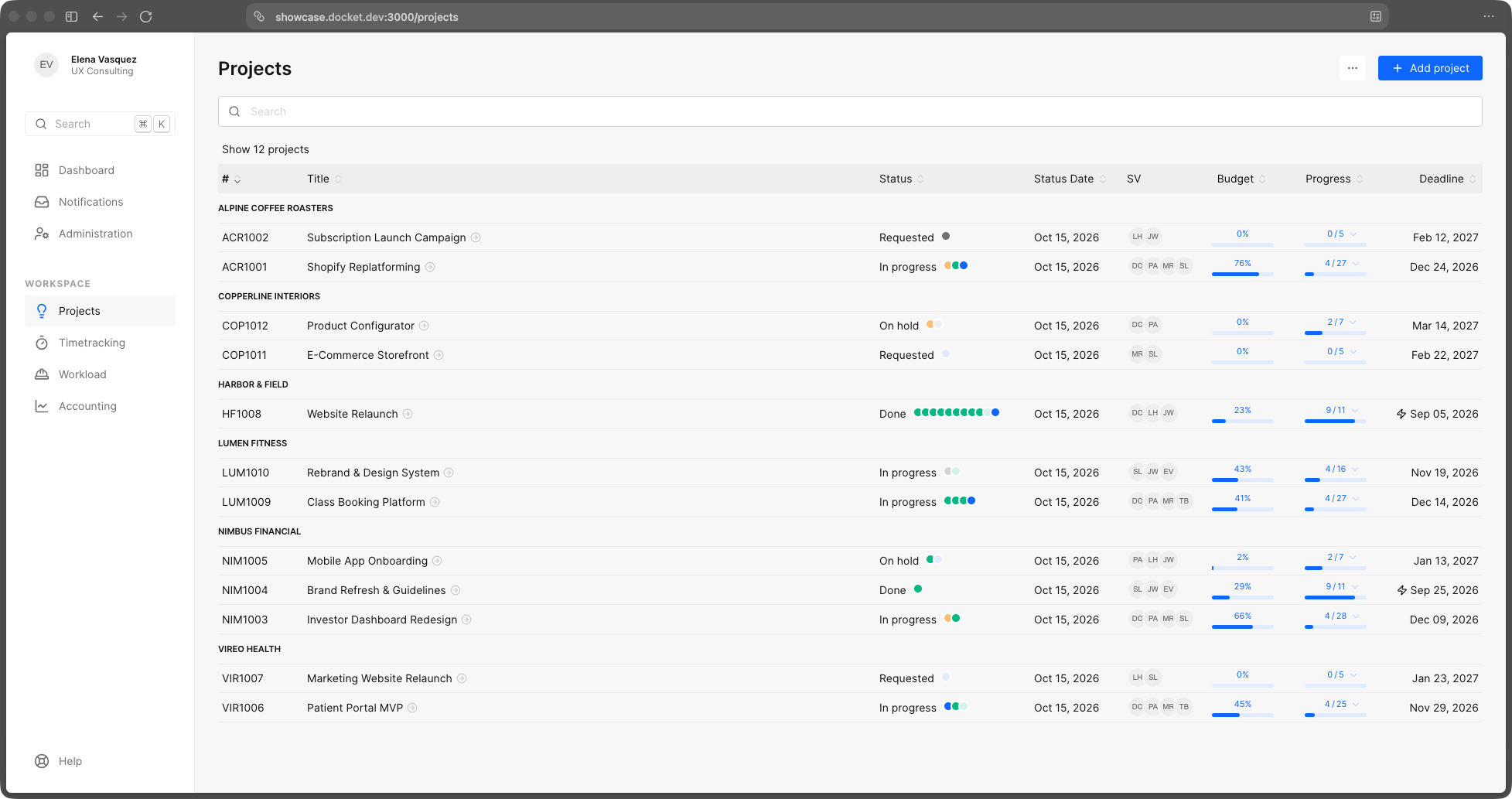
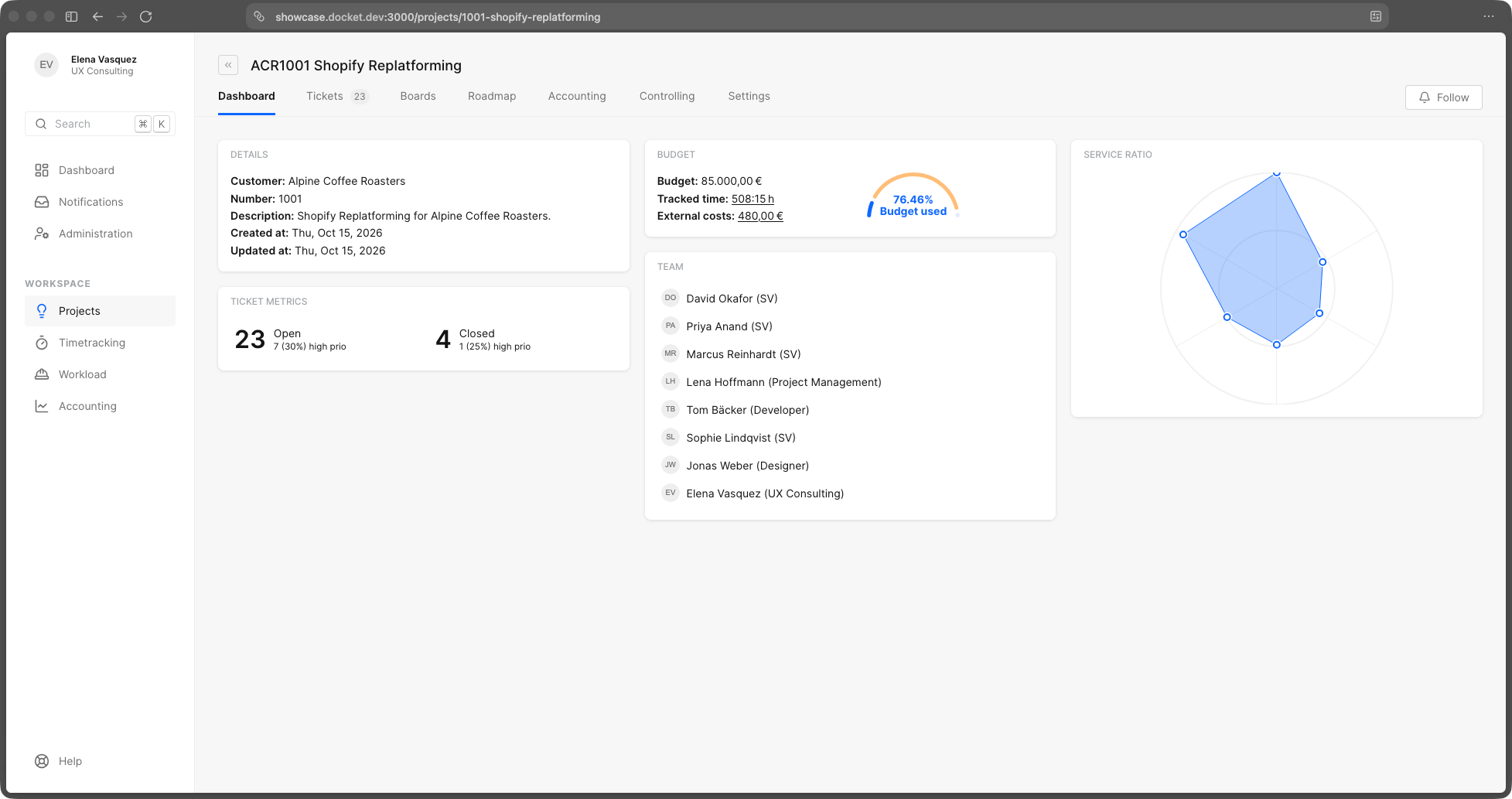
All your projects in one list, grouped by client — status, budget used, progress and deadline side by side. Open one and its dashboard shows the budget, the open work and who's on it.
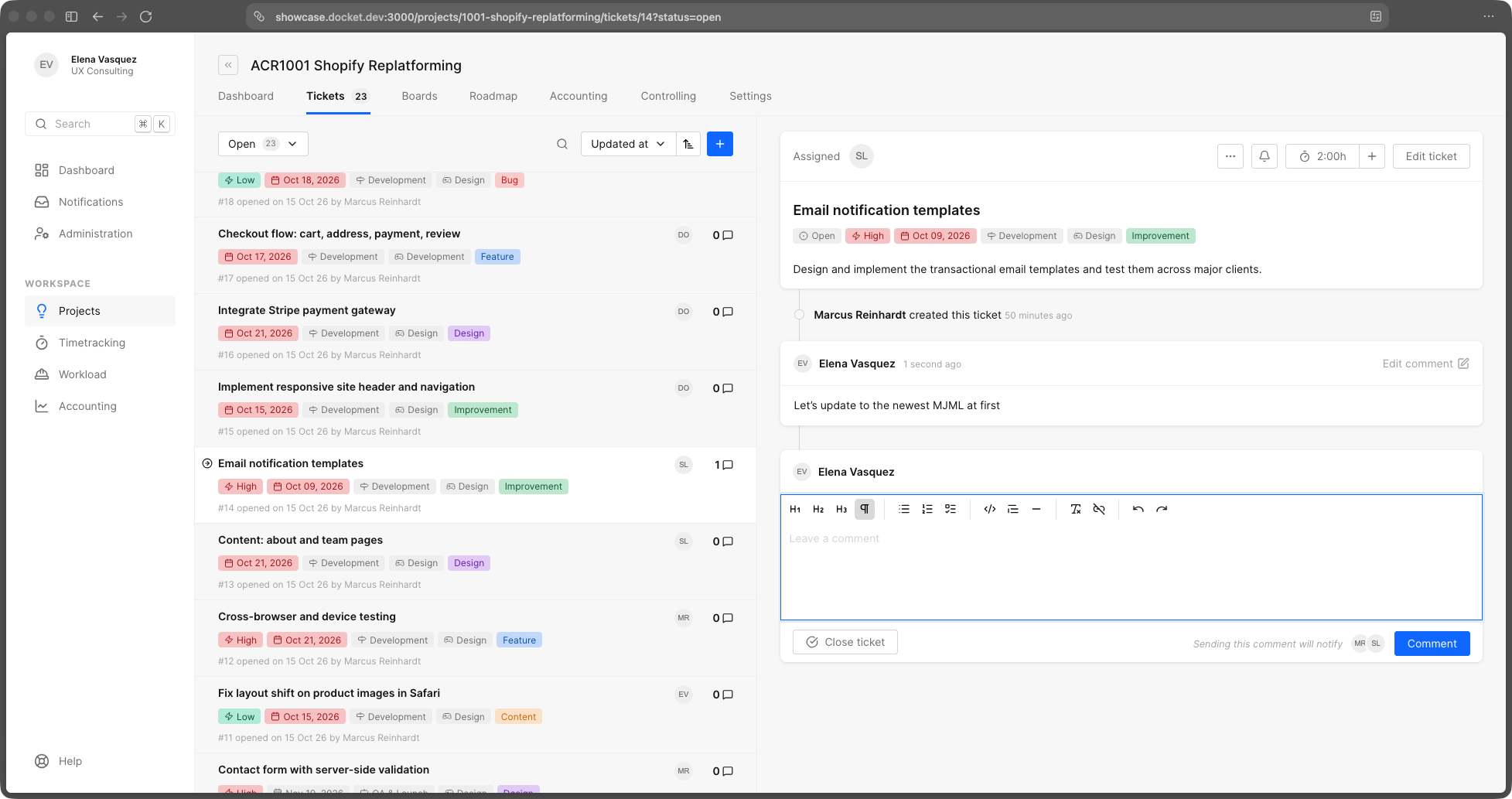
Every project is a stream of tickets — prioritized, labeled, discussed and done. Todos, comments, budgets and tracked time all live on the ticket, so nothing gets lost in a chat thread.
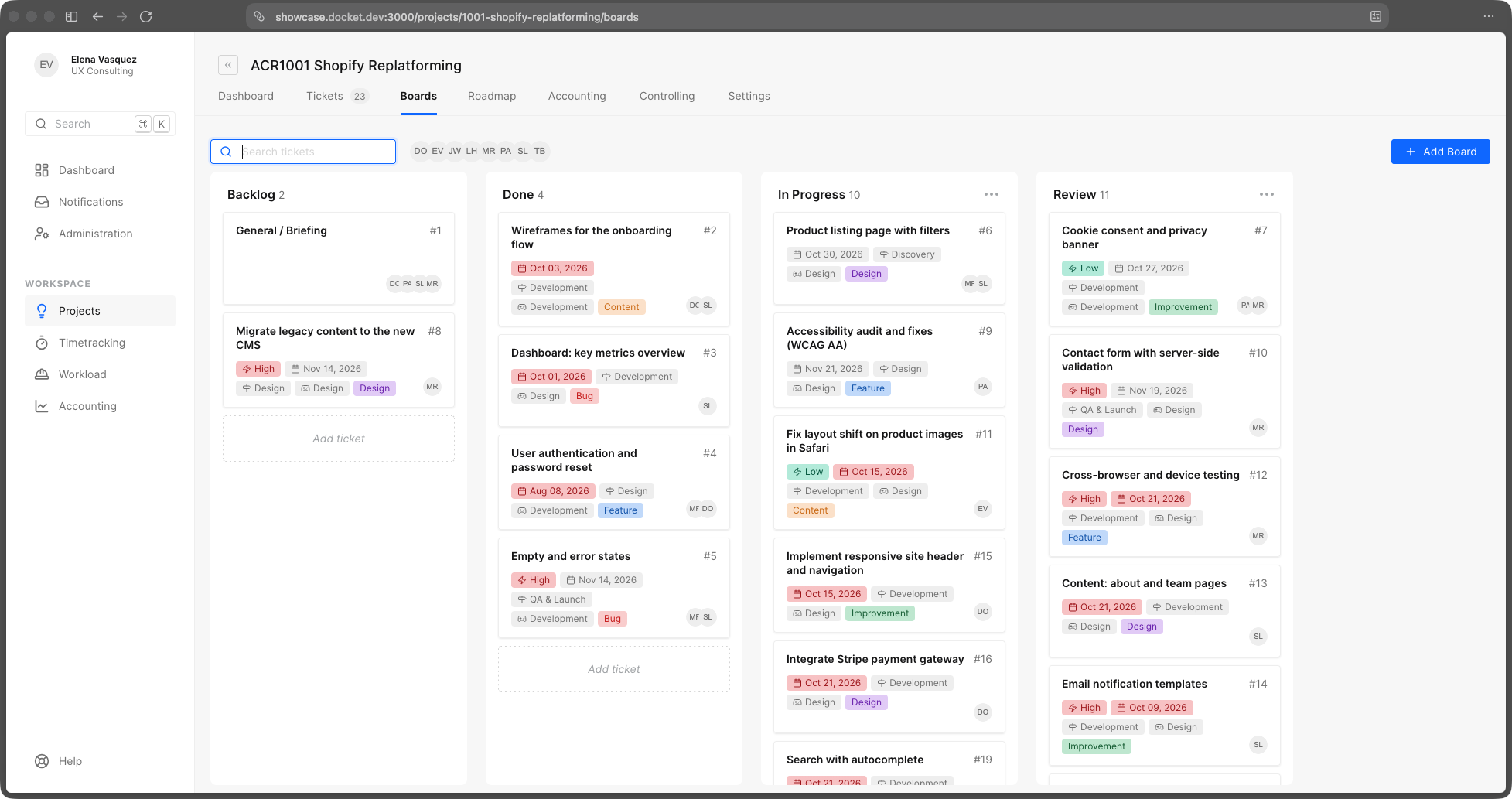
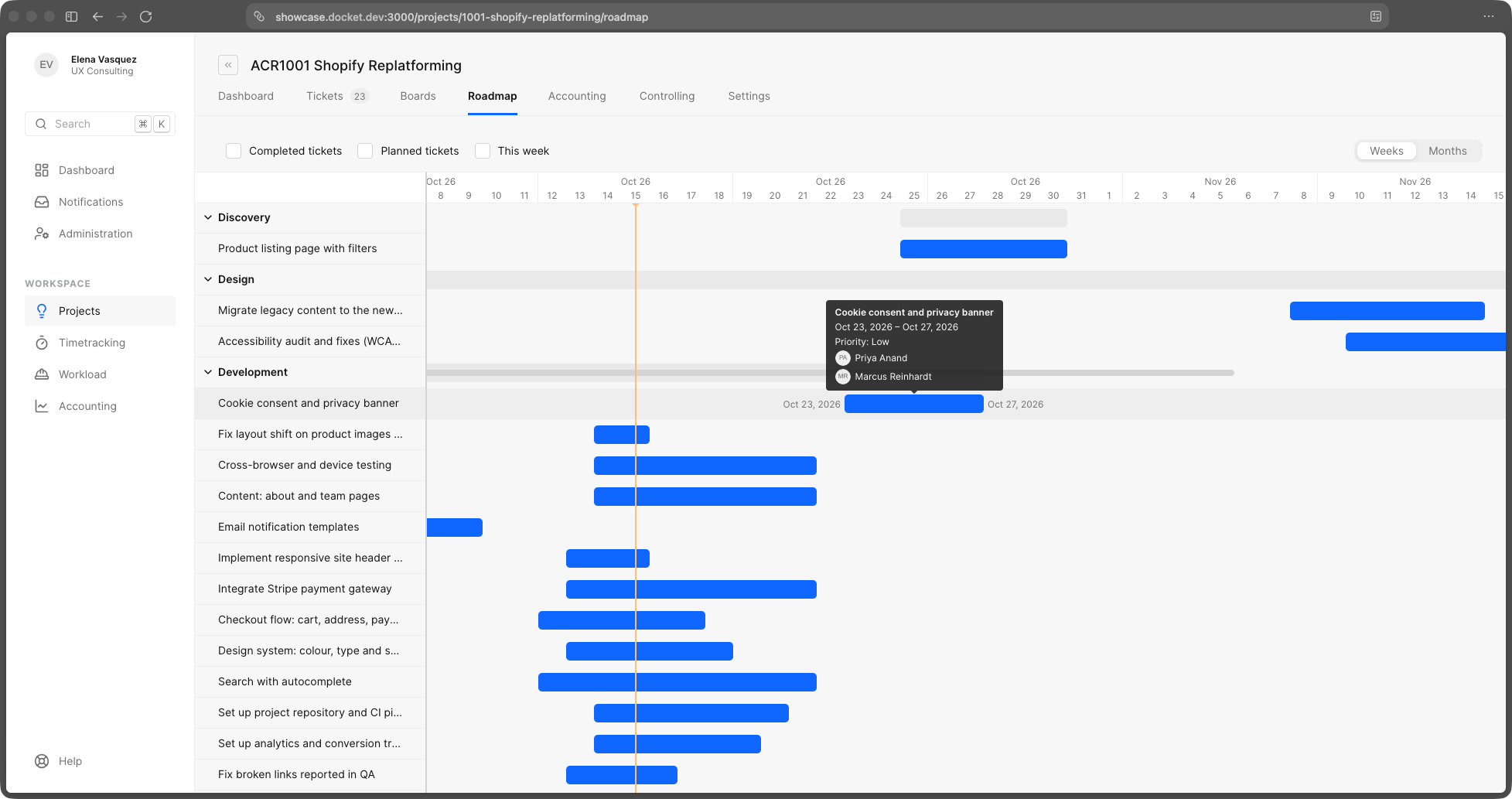
Phases on a timeline, laid out by the dates that matter. Drag to plan, switch between weeks and months, and see at a glance what's running, what's late and what's coming.
Track on the ticket you're working, review your week on one screen, and let the hours flow into budgets, reports and billing. No separate tool, no Monday-morning guesswork.
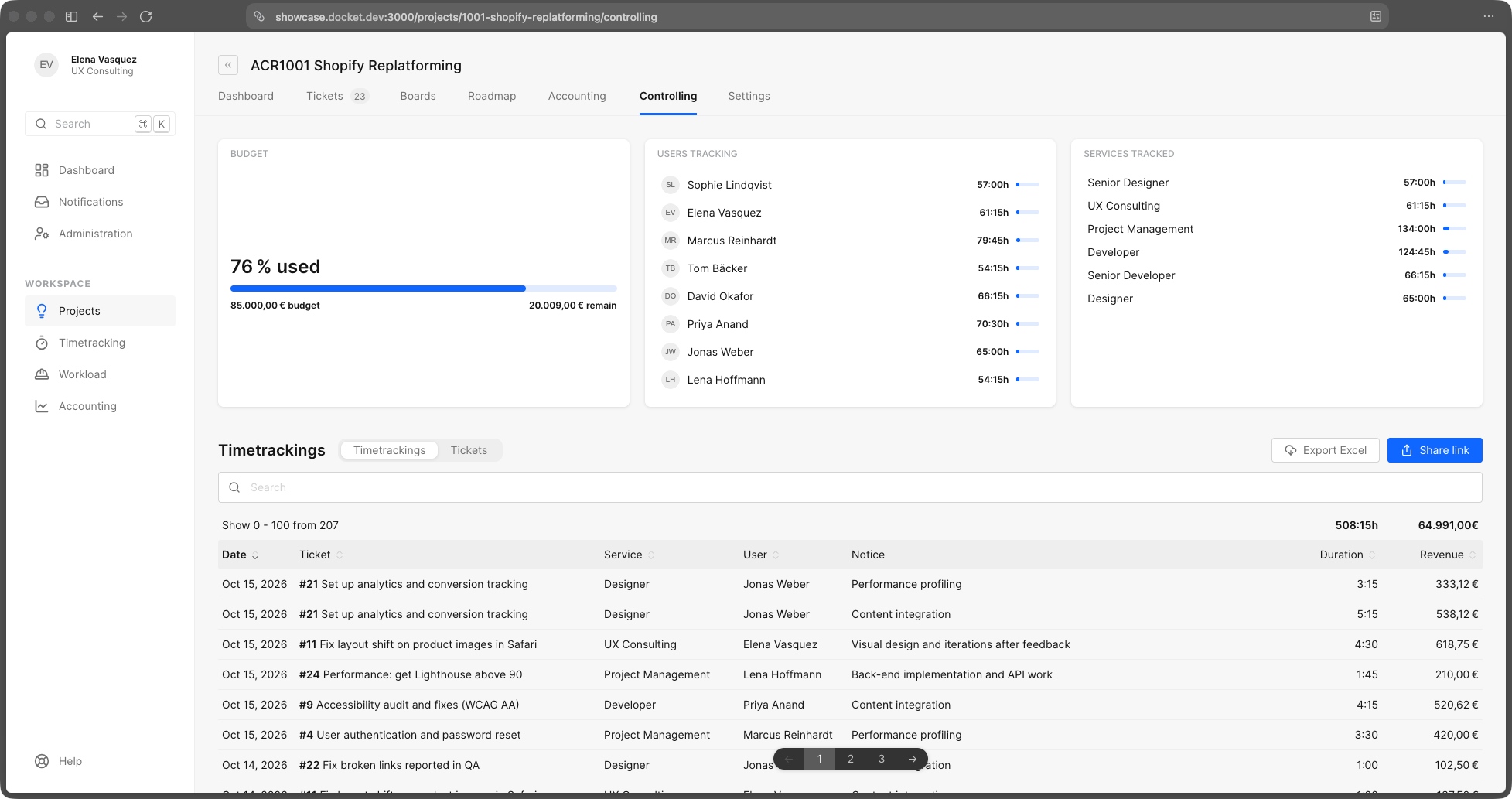
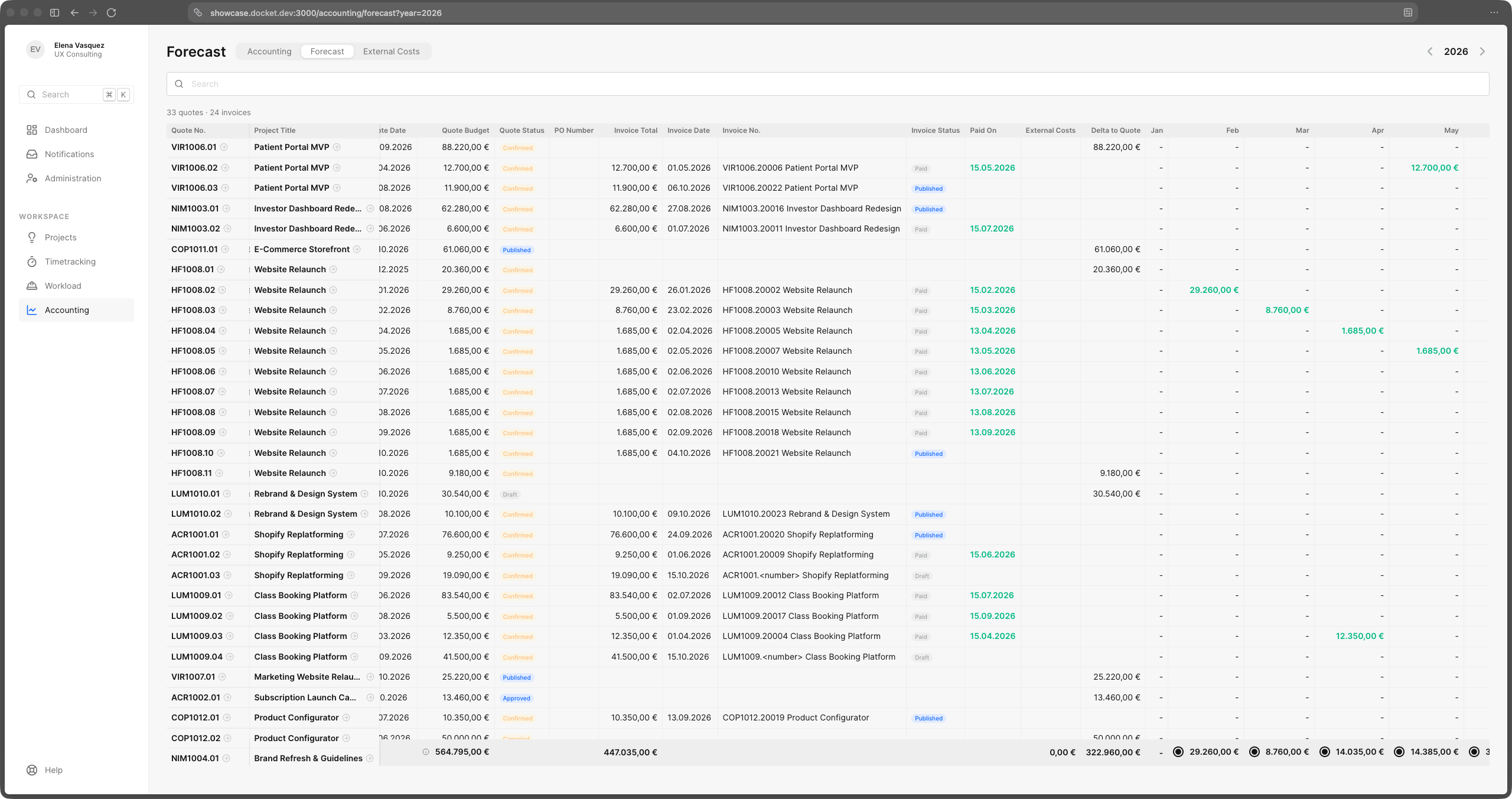
Quotations, order confirmations and invoices live on the project they belong to — and so do the supplier invoices you pass on. The forecast shows what's billed, what's paid and what's still to come this year.
Link a project and docket mirrors its issues — read-only, so Jira stays the single source of truth for the work. Time gets booked against the mirrored ticket, worklogs you already have in Jira or Tempo come across, and every hour ends up in the budget, the client report and the invoice.
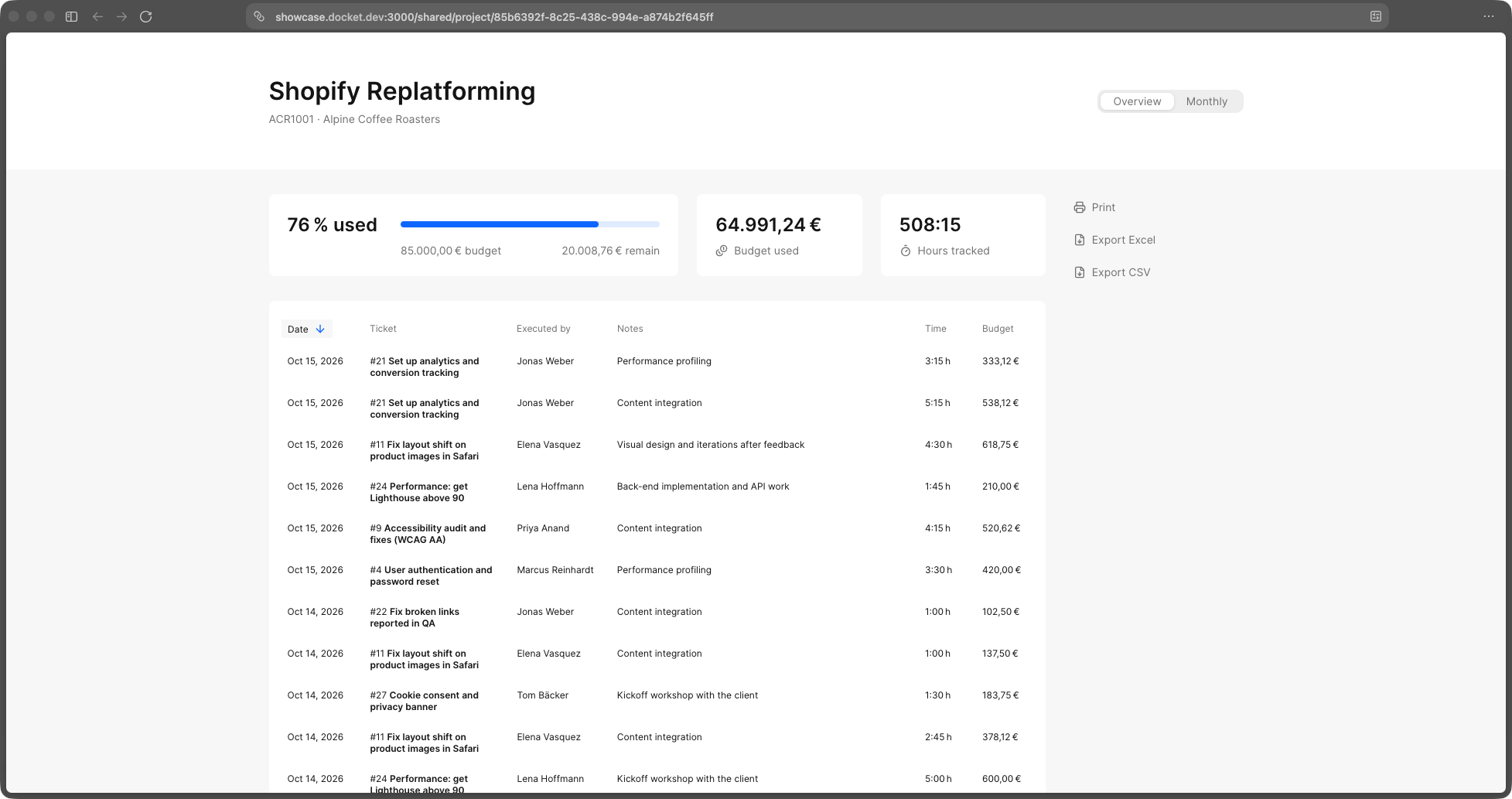
A read-only view of a project for the people paying for it. No exports, no slide decks — a link that's always up to date.
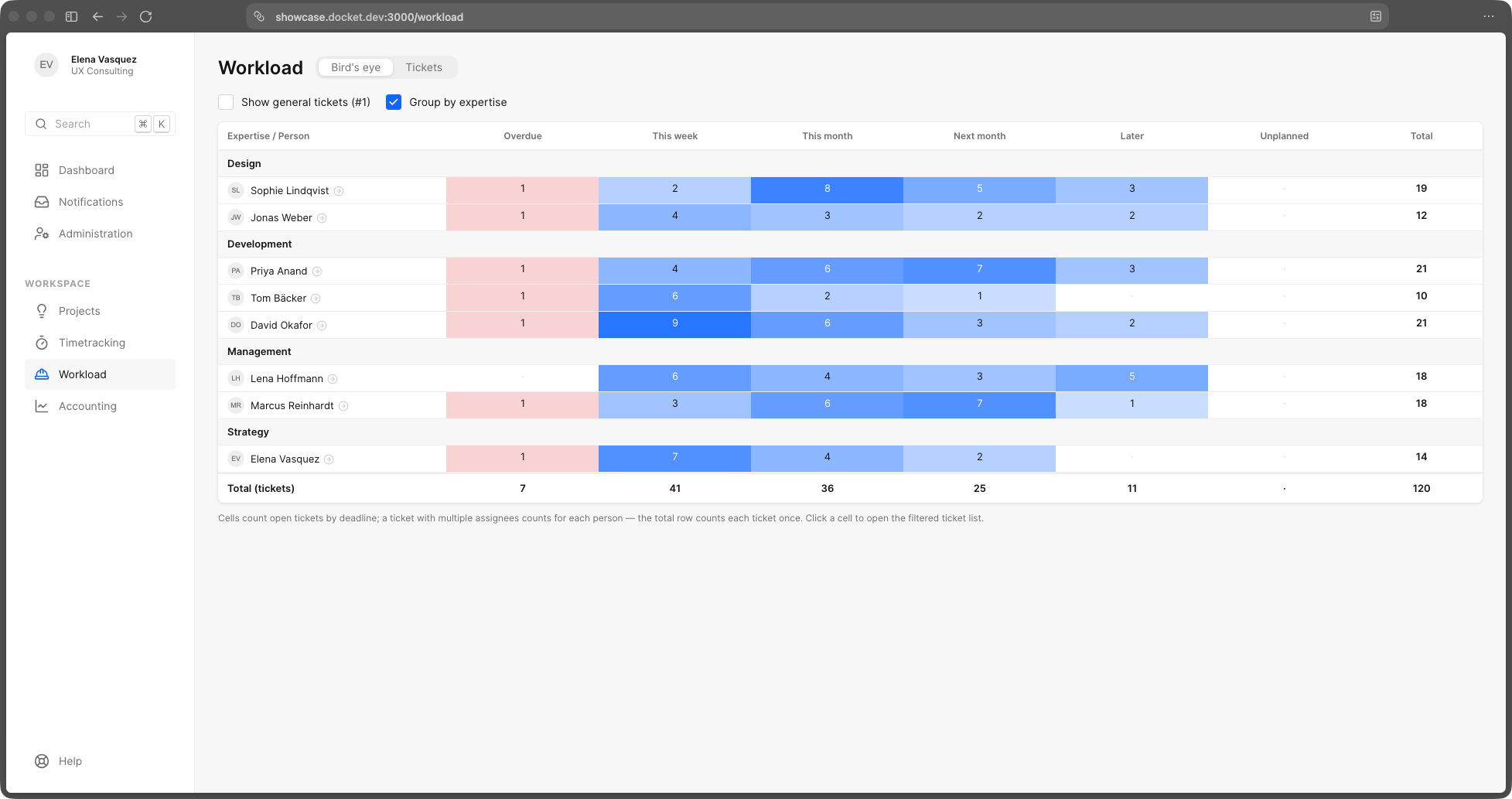
Who has room next week and who really doesn't — planned work against real working hours, per person, without a spreadsheet.
A native macOS companion. Your timers in the menu bar, one keystroke away — even when docket isn't open.
Connect docket over MCP and ask your own assistant about your projects, tickets and hours — or let it book time and draft a quote. Our GraphQL API already covers the whole product; MCP just opens the door.
Questions first? Write us at info@godocket.app